A monthly update from Norcotech
Most of the businesses we talk to have some security in place. Far fewer have a plan for the first hour after something goes wrong.
That first hour matters more than almost anything that comes after it. When a cyberattack hits, the instinct is to start fixing things, and that's often what makes it worse: turning off the affected computer and wiping the evidence, replying from an email account the attacker is already reading, or paying a ransom before anyone understands what's going on.
Most of this is avoidable with a plan agreed before anything happens, and it doesn't need to be long. A single page covering who to call first, which devices to disconnect and which to leave alone, and where your backups are, kept somewhere you can reach without your main systems, is enough for most small businesses.
This month's issue walks through the threats we're seeing most, from QR-code scams to fake emails sent in your name, and what to do if one of them gets through. If you'd like help putting a simple plan together before you ever need it, we're a phone call away.
Until then, stay safe.
The Norcotech Team
QR code scams: what they are and how to spot them
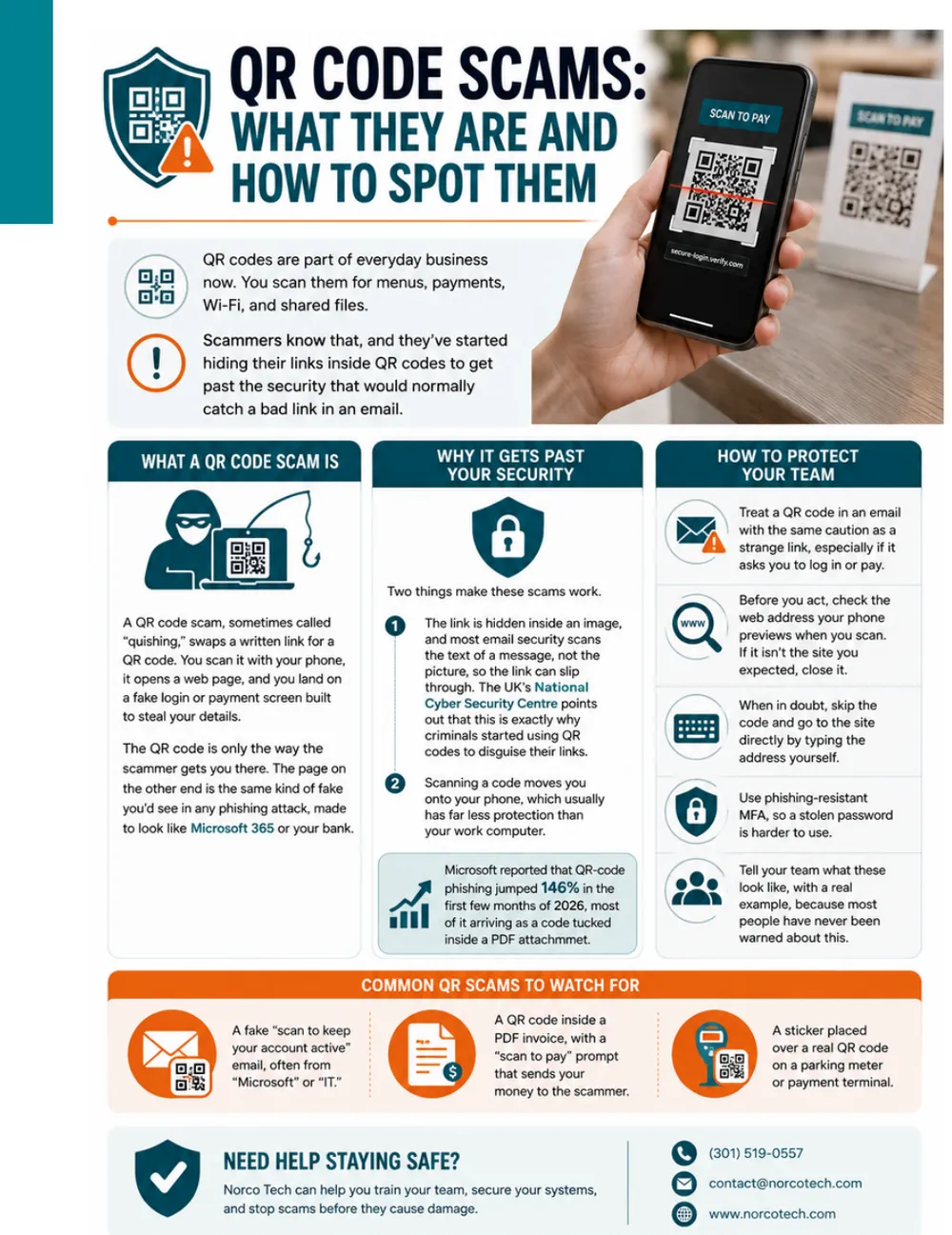
QR codes are part of everyday business: menus, payments, Wi-Fi and shared files. Scammers know that, and they've started hiding links inside QR codes to get past the security that would normally catch a bad link in an email.
What a QR code scam is
A QR code scam, sometimes called "quishing," swaps a written link for a QR code. You scan it, and land on a fake login or payment page built to steal your details, often made to look like Microsoft 365 or your bank.
Why it gets past your security
- The link is hidden inside an image, and most email security scans text, not pictures. The UK's National Cyber Security Centre points out that this is exactly why criminals started using QR codes.
- Scanning moves you onto your phone, which usually has far less protection than your work computer.
Microsoft reported that QR-code phishing jumped 146% in the first few months of 2026, most of it arriving as a code inside a PDF attachment.
How to protect your team
- Treat a QR code in an email like a strange link, especially if it asks you to log in or pay.
- Check the web address your phone previews before you open it.
- When in doubt, skip the code and type the site's address yourself.
- Use phishing-resistant MFA, so a stolen password is harder to use.
- Show your team real examples, because most people have never been warned.
Common QR scams to watch for
- A fake "scan to keep your account active" email, often claiming to be from Microsoft or IT.
- A QR code inside a PDF invoice with a "scan to pay" prompt.
- A sticker placed over a real QR code on a parking meter or payment terminal.
How to stop scammers sending email in your company's name
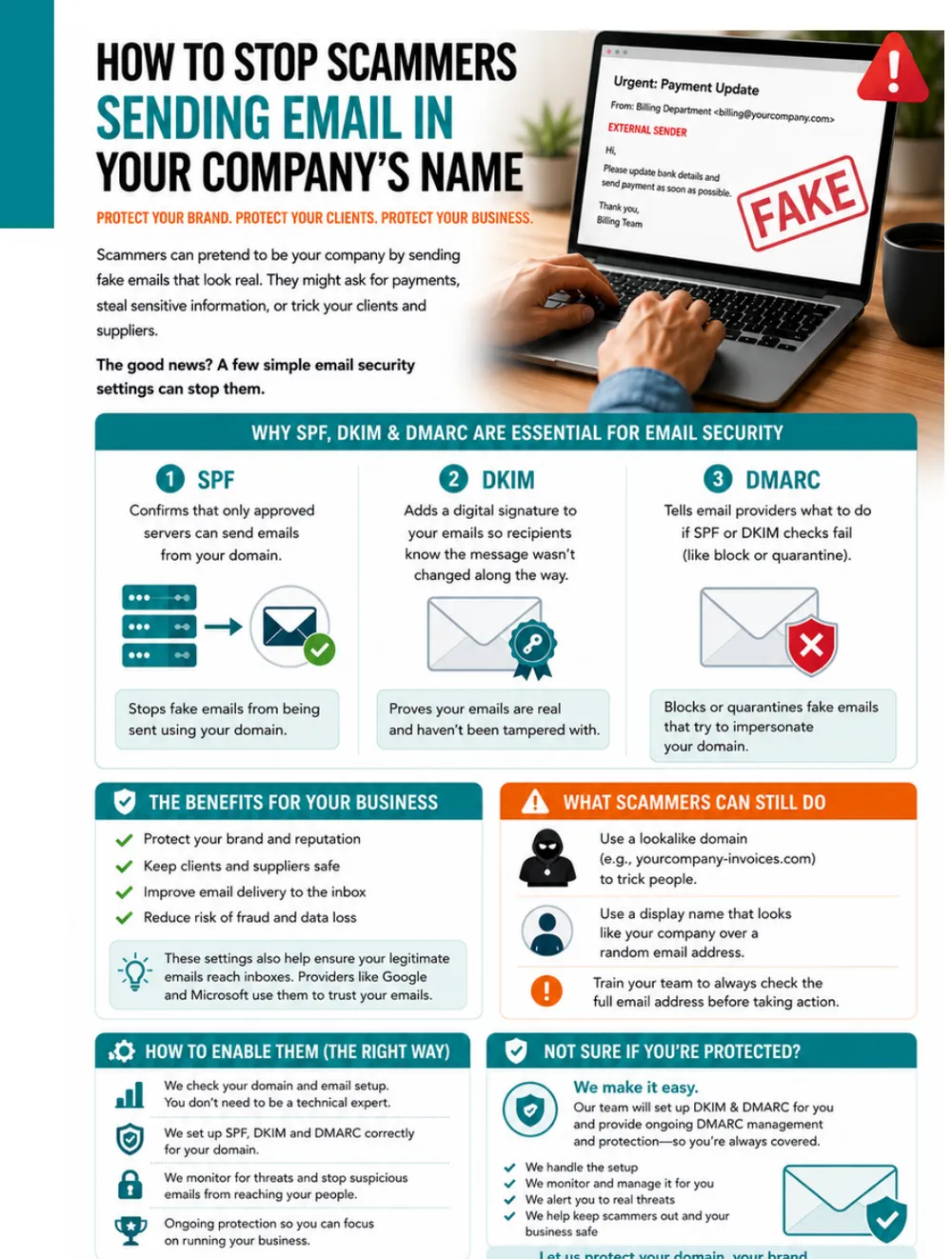
Scammers can pretend to be your company with fake emails that look real, asking your clients and suppliers for payments or sensitive information. A few email security settings stop them.
Why SPF, DKIM and DMARC matter
- SPF confirms that only approved servers can send email from your domain.
- DKIM adds a digital signature so recipients know a message wasn't changed along the way.
- DMARC tells email providers what to do when SPF or DKIM checks fail, such as block or quarantine.
Together they protect your brand, keep clients and suppliers safe and reduce fraud. They also improve delivery, because Google and Microsoft use them to trust your email.
What scammers can still do
They can register a lookalike domain (like yourcompany-invoices.com) or use a display name that looks like yours over a random address. Train your team to check the full email address before acting.
Not sure if you're protected? We check your domain, set up SPF, DKIM and DMARC correctly, and provide ongoing DMARC monitoring.
Ask us to check your domain →What to do in the first hour of a cyberattack
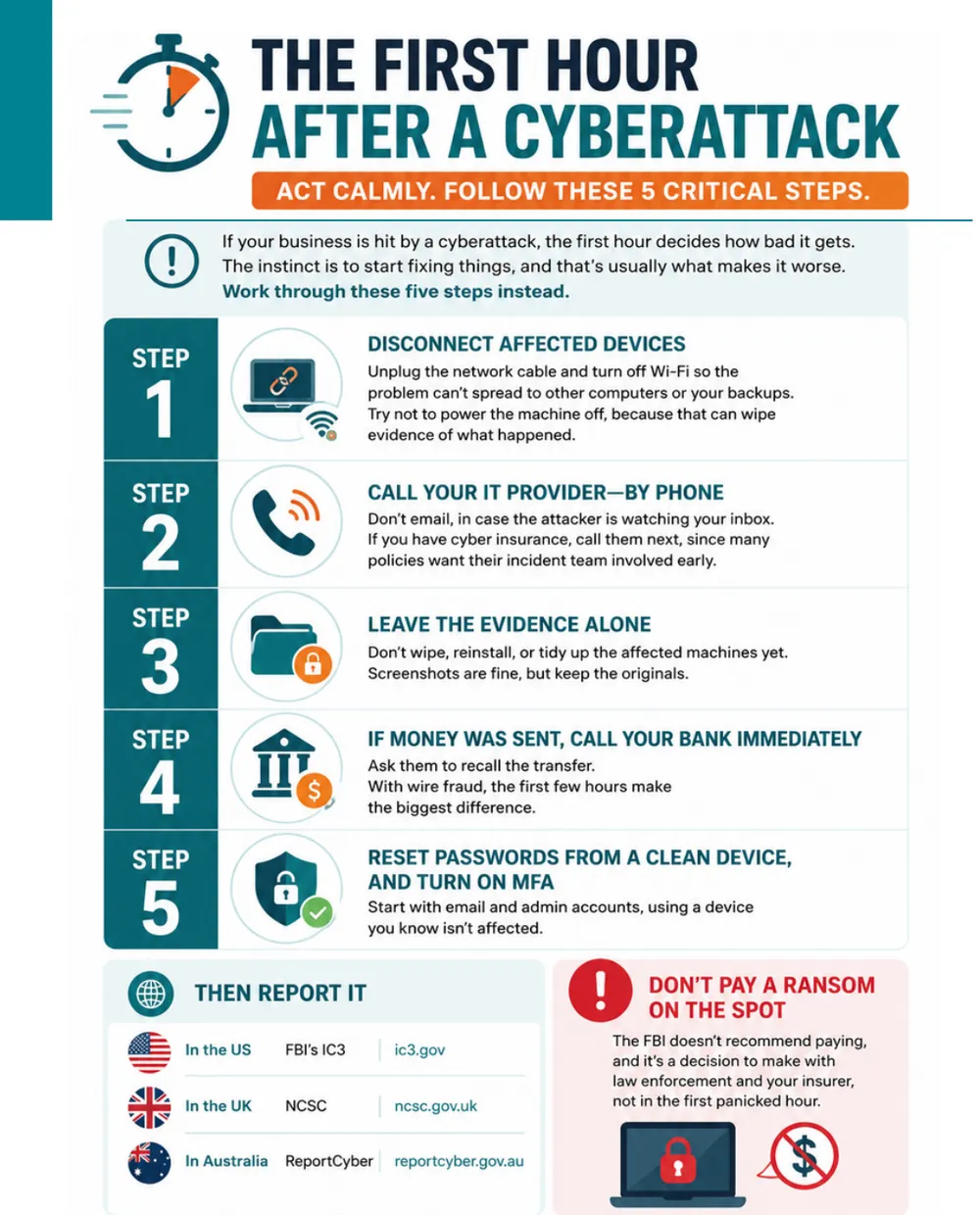
If your business is hit by a cyberattack, the first hour decides how bad it gets. Work through these five steps:
- Disconnect affected devices. Unplug the network cable and turn off Wi-Fi, but try not to power the machine off, because that can wipe evidence.
- Call your IT provider, by phone. Don't email, in case the attacker is watching your inbox. If you have cyber insurance, call them next.
- Leave the evidence alone. Don't wipe, reinstall or tidy up yet. Screenshots are fine.
- If money was sent, call your bank immediately and ask them to recall the transfer.
- Reset passwords from a clean device and turn on MFA, starting with email and admin accounts.
Then report it
In the US, report to the FBI's Internet Crime Complaint Center at ic3.gov.
Don't pay a ransom on the spot. The FBI doesn't recommend paying, and it's a decision to make with law enforcement and your insurer, not in the first panicked hour.
Who can see what your AI note-taker records?
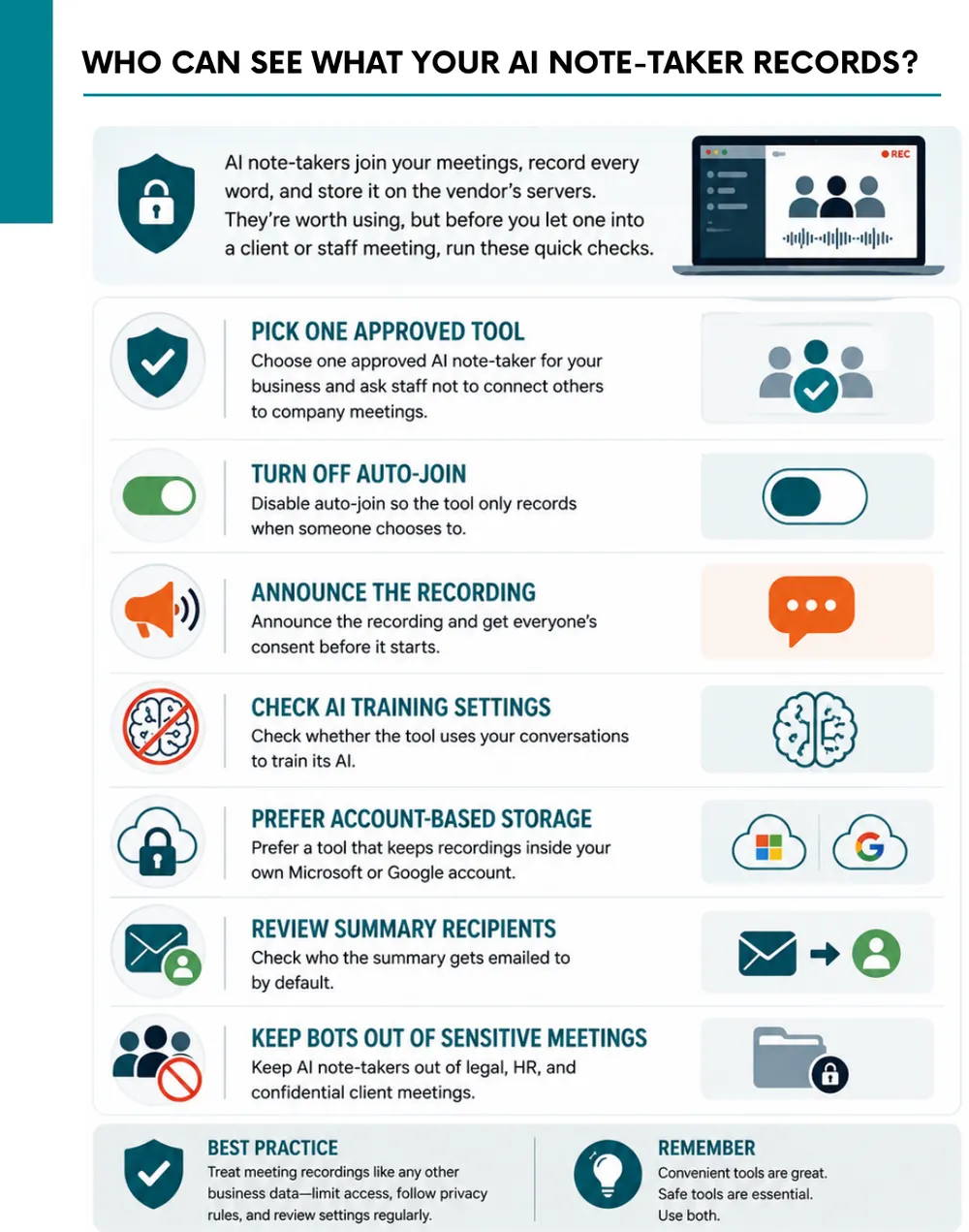
AI note-takers join your meetings, record every word and store it on the vendor's servers. They're worth using, but run these checks first:
- Pick one approved tool and ask staff not to connect others.
- Turn off auto-join so it only records when someone chooses.
- Announce the recording and get consent before it starts.
- Check AI training settings to see whether your conversations train the vendor's AI.
- Prefer account-based storage that keeps recordings in your own Microsoft or Google account.
- Review who receives summaries by default.
- Keep bots out of sensitive meetings: legal, HR and confidential client calls.
Don't play security roulette
When was the last time your company completed security testing or awareness training? Data breaches are a part of life now, and skipping vulnerability assessments is like playing Russian roulette with your data. A Norcotech cybersecurity package protects your business without the time and expense of managing it all yourself.
Learn more about security assessments: email contact@norcotech.com or call (301) 519-0557.
Technology trivia and fun
- What popular operating system, launched in 1991, has its own penguin mascot?
- Which wireless company, a wholly owned subsidiary of AT&T, shares its name with an insect?
- Which giant Chinese technology and e-commerce company was named by founder Jack Ma after a character from the Arabian Nights?
The first person to email cybertalk@norcotech.com with the correct answers won a $10 Amazon gift card. July answers: 1. Picture element 2. Intel 3. Malware.
Did you know? The world's first webcam, set up at Cambridge University in 1991, was pointed at a coffee pot so researchers could see if it was empty before walking over.
Refer a business
Know a business that could benefit from better IT support? Forward an introduction email to contact@norcotech.com and we will take it from there. We'll treat your referral with the same care we give every Norcotech client.
Get Cybertalk every month
Practical security tips for business owners and employees.