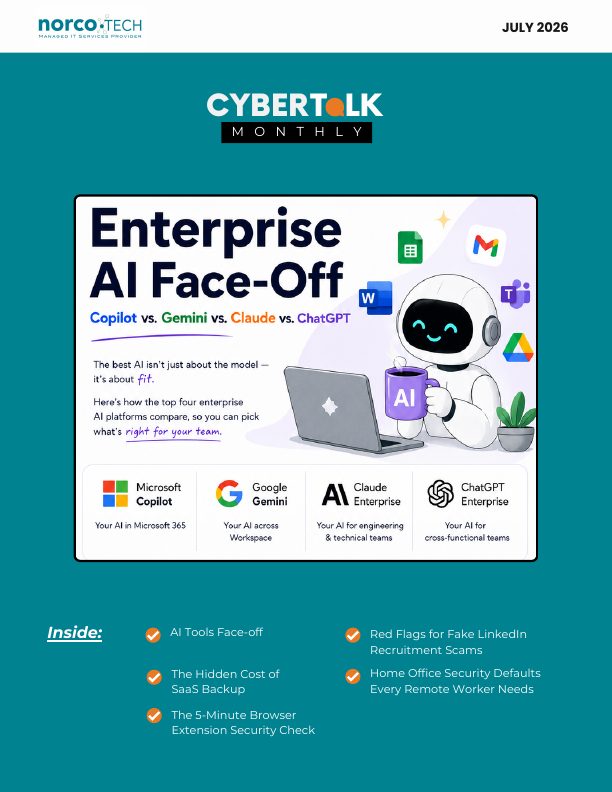
A monthly update from Norcotech
We hope this newsletter finds you and your team thriving. As remote and hybrid work continue to define our day-to-day, we've been reflecting on the subtle security gaps that arise when our offices move into our homes.
This month's cover story focuses on an often-overlooked topic: the physical security of home workspaces. Everyday habits, like leaving a laptop unlocked or keeping credentials in plain sight, can pose as much risk as a weak firewall. It's not about mistrust, but about recognizing that homes lack the safeguards of an office.
This issue also builds on our recent AI tool comparisons, with a closer look at how the major platforms handle data security and privacy. You'll also find insights on MFA bypass tactics, SaaS data exposure, browser extension risks and more. As always, we're here to help you stay secure without the overwhelm, one small habit at a time.
Until then, stay safe.
The Norcotech Team
Enterprise AI face-off: Copilot vs. Gemini vs. Claude vs. ChatGPT
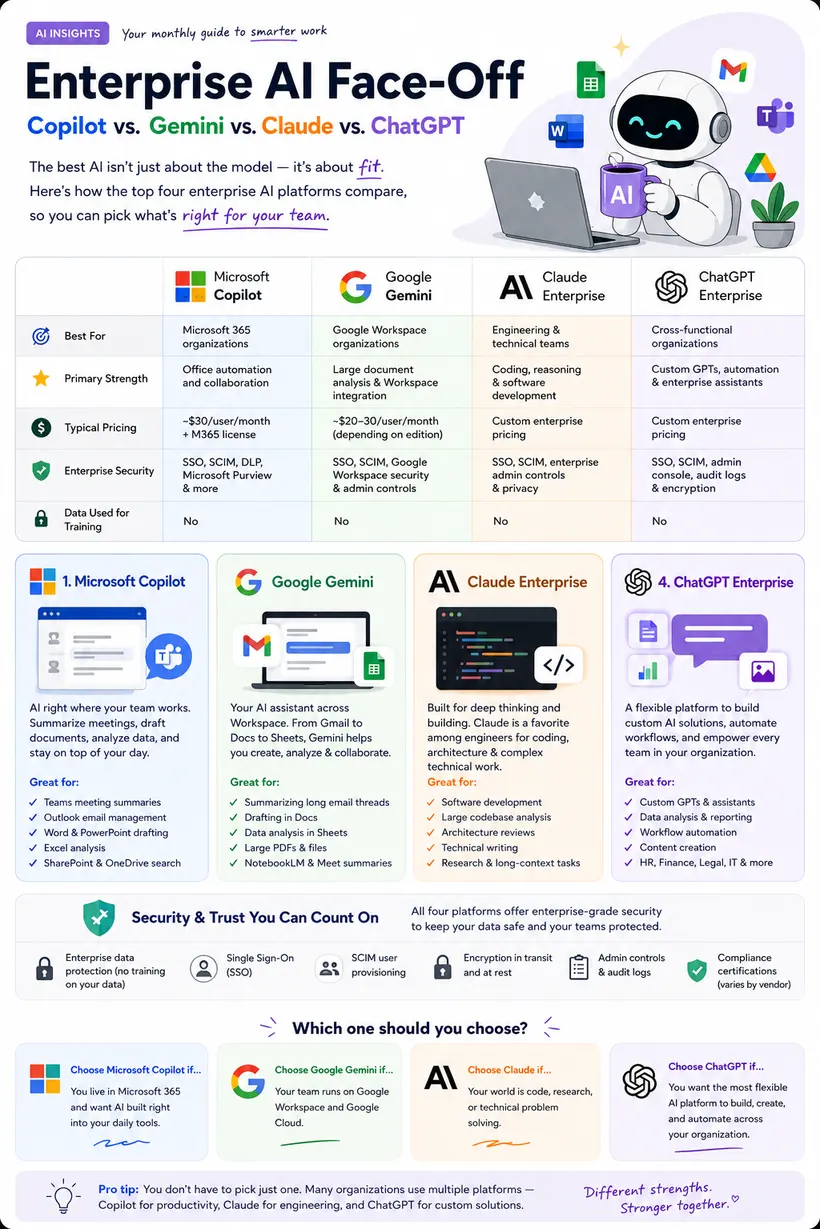
The best AI isn't just about the model. It's about fit. Here's how the four major enterprise AI platforms compare, so you can pick what's right for your team.
- Microsoft Copilot: best for Microsoft 365 organizations. Great for Teams meeting summaries, Outlook, Word and PowerPoint drafting, Excel analysis and SharePoint search.
- Google Gemini Enterprise: best for Google Workspace organizations. Great for summarizing long email threads, drafting in Docs, analysis in Sheets and large files.
- Claude Enterprise: best for engineering and technical teams. Strong at coding, reasoning, software development and long, complex documents.
- ChatGPT Enterprise: best for cross-functional teams that want general-purpose enterprise assistants.
All four enterprise plans offer single sign-on and admin controls, and none use your business data to train their models. Pricing varies by plan and changes often, so ask us for current options.
Get help choosing and deploying AI →After the login: what happens when MFA gets bypassed
What happens when an attacker gets around MFA, not by breaking the lock but by walking in right behind someone who just unlocked it? Session cookie hijacking lets attackers do exactly that.
How attackers steal the keys
Adversary-in-the-middle attacks relay your login through a fake page to the real service, capturing your session cookie after you complete MFA. A session cookie is like a backstage pass: with it, the attacker doesn't need your password or MFA.
What attackers do once inside
They scan your inbox for relationships, invoices and wire details, set up forwarding rules, then send convincing payment or vendor-change requests from your real account. Some move on to shared files, cloud apps and internal systems.
Why defenses fail
Strong passwords and MFA don't stop it, and even a password reset may not end an active session. Because the attacker uses a valid token, there are no failed logins to trigger alerts.
Protecting your business beyond the login screen
- Monitor for suspicious session behavior, like sign-ins from two countries at once or unusual forwarding rules.
- Use shorter session timeouts, and bind sessions to devices where possible.
- Train staff to check the actual web address before entering credentials and to report anything unusual.
- Audit email accounts regularly for forwarding rules, unfamiliar devices and odd locations.
The hidden cost of SaaS backup: planning your exit strategy

When you commit to a SaaS platform, you're choosing a relationship that could cost thousands to leave. Data egress fees, reformatting and migration costs can turn a simple switch into a budget-buster. A 50-person company may have 500GB or more across email, storage and apps.
Hidden costs to watch
- Data transformation: exported data rarely works out of the box.
- Retraining and productivity loss: teams often see a 20–30% productivity dip during a transition.
- Leadership time spent evaluating vendors and managing the move.
Plan your exit early
Ask vendors about egress fees, export formats and API access, and get it in writing. Back up critical data to storage you control, and consider setting aside 10–15% of annual SaaS spend as an "exit fund." Document a one-page exit plan and update it yearly.
Plan your next migration with us →The 5-minute browser extension security check

Browser extensions can read your pages, track your browsing and access business data. Before you click "Add to browser":
- Verify the publisher is a known company or developer with a real web presence.
- Review the permissions. A calculator that wants to "read and change all your data on all websites" is a red flag.
- Read recent reviews, sorted by newest, for complaints after updates.
- Check the last update date. Extensions abandoned for over a year may hide unpatched flaws.
- Search the name plus "security" or "malware."
- Read the privacy policy, and only install from official stores.
Red flags for fake LinkedIn recruitment scams
- The profile looks too generic or too perfect: stolen photos, sparse history, few connections or a brand-new account.
- The offer is unrealistically good: high pay for minimal or vague work.
- Pressure to respond immediately.
- Early requests for personal or financial information, like bank details or ID copies.
- The conversation moves off LinkedIn to WhatsApp, Telegram or personal email.
- Requests to download software or click unfamiliar links.
- Company details don't check out. Verify independently by calling the company's main number.
Home office security defaults every remote worker needs

Working from home blurs personal and professional space, but your security shouldn't blur with it.
- Lock your screen every time you step away, and set auto-lock to 5 minutes.
- Keep sensitive papers in a locked drawer, and shred them instead of recycling.
- Remove sticky notes with passwords or Wi-Fi codes.
- Position your monitor away from windows and foot traffic, or use a privacy screen.
- Clear client files and financial records from your desk at the end of each day.
- Keep work devices separate from personal and family devices, with a charging spot out of reach of kids and guests.
These defaults aren't about distrusting your household. They're habits that protect you regardless of circumstance.
Don't play security roulette
When was the last time your company completed security testing or awareness training? Data breaches are a part of life now, and skipping vulnerability assessments is like playing Russian roulette with your data. A Norcotech cybersecurity package protects your business without the time and expense of managing it all yourself.
Learn more about security assessments: email contact@norcotech.com or call (301) 519-0557.
Technology trivia and fun
- What is the word "pixel" short for?
- McAfee, the internet security company, became a subsidiary of which company in 2011?
- Computer worms, viruses and Trojans are generally grouped into one big group. What is it called?
The first person to email cybertalk@norcotech.com with the correct answers won a $10 Amazon gift card. June answers: 1. Michael Dell 2. True 3. Department of Defense.
Did you know? According to IBM, 19% of data breaches are caused by compromised credentials left physically exposed, costing businesses an average of $4.5 million per incident.
Refer a business
Know a business that could benefit from better IT support? Forward an introduction email to contact@norcotech.com and we will take it from there. We'll treat your referral with the same care we give every Norcotech client.
Get Cybertalk every month
Practical security tips for business owners and employees.