A monthly update from Norcotech
LinkedIn is a vital tool for professional networking, but it has also become a playground for sophisticated social engineering. These scams arrive as normal conversations from polished, credible-looking profiles, borrowing authority from recognizable brands to nudge your staff into clicking a link or sharing "verification" details.
We recommend "hard-stop" rules for all employees. Any request for money, gift cards or crypto during a recruitment process is an immediate red flag. Staff should also be wary of recruiters using personal webmail addresses or refusing to verify their identity through official channels.
The goal isn't to turn your team into investigators, but to standardize simple verification habits: slow down, keep conversations on-platform longer and verify roles on official company websites.
If you'd like your staff to have the latest training to fight these scams, contact us at contact@norcotech.com.
Until then, stay safe.
The Norcotech Team
The "session cookie" hijack: why MFA can't always save you
MFA is a strong front-door lock, but it isn't the only thing that decides whether someone gets in. After you sign in, your browser keeps you logged in with a session token, often stored as a cookie. It's like a wristband at an event: once you've been checked, it proves you belong. If an attacker steals the wristband, they may not need to beat your MFA prompt at all.
Why MFA isn't "game over"
Cloudflare notes that attackers are finding new ways to circumvent MFA, usually as part of a chain of attacks. MFA blocks a lot of credential theft, but it doesn't automatically protect what happens after a successful sign-in.
How session hijacking happens
- Adversary-in-the-middle (AiTM) phishing: a lookalike page relays your login to the real site in real time, MFA included, and captures your session.
- Browser-in-the-middle: the attacker effectively takes control of your browsing session.
- Cookie theft from the device: malware steals session data directly from your computer.
MFA is a baseline, not a finish line. Pair it with protections around the session itself.
Review your identity security with us →The "backup exit" strategy: can you move your data without the vendor's help?

Signing up for a SaaS platform is easy. The real test is the exit. Your data is spread across platforms, integrations and automations, so when a vendor changes pricing, terms or features, you either move your data cleanly or you stay stuck.
The cost of the "proprietary trap"
A weak exit plan locks you into systems you can't easily change, so every renewal becomes a forced decision instead of a strategic one. A solid exit strategy lets you migrate on your terms and make cost decisions based on value.
Securing the move
A migration concentrates exactly what attackers want: high-privilege access, many open sessions and lots of data moving at once.
- Use phishing-resistant sign-ins where possible.
- Make privileged sessions expire quickly and require re-authentication for risky actions.
- Run migrations from managed, secure devices.
- Monitor for suspicious access throughout.
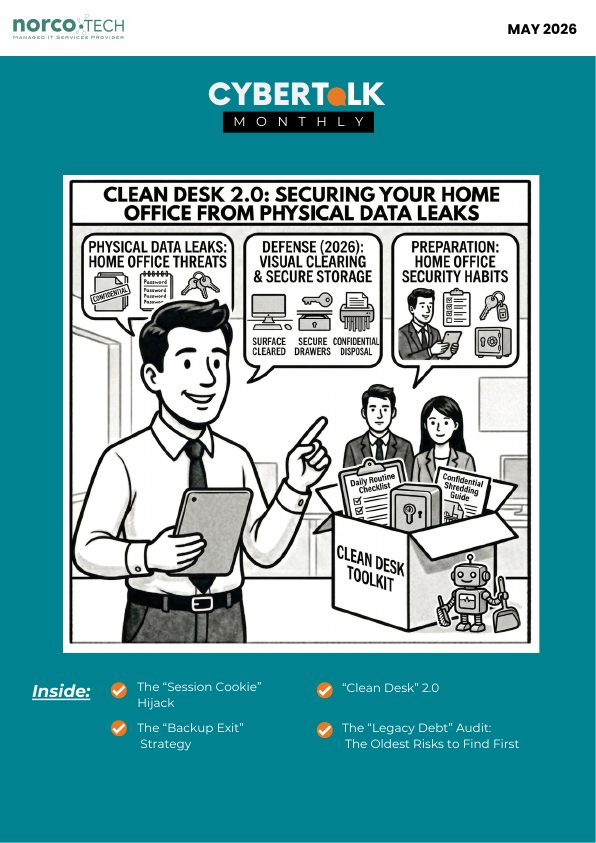
"Clean desk" 2.0: home office security defaults that prevent real incidents
A modern clean desk stops physical-to-digital shortcuts. Use these defaults as a baseline:
- Lock your screen whenever you step away, with a short auto-lock timer.
- Don't share work devices with family or guests, and store laptops like they're valuable.
- Keep home routers supported and patched, and replace end-of-support gear.
- Use strong sign-ins and MFA everywhere.
- Control browsers and extensions, and patch laptops quickly.
- Use device protection on every endpoint.
- Treat AI automation like a power tool, with approvals for payments, exports and account changes.
- Make it easy to report suspicious messages, odd sign-ins or unexpected prompts.
In 2026, the home workspace isn't a side setup. It's part of your business perimeter.
Quick red flags for fake recruitment scams
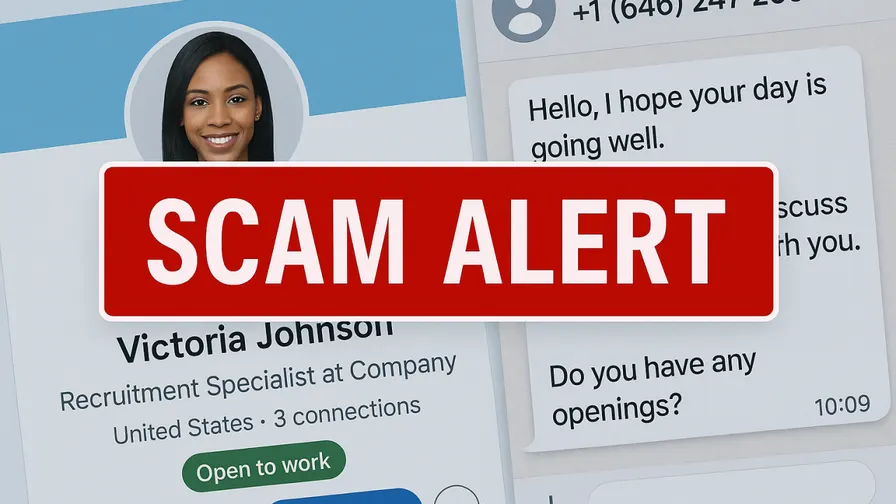
LinkedIn recruitment scams succeed because the outreach looks normal. Pause before engaging if you see:
- A vague job description or "we'll share specifics later"
- Pressure to move fast: "limited slots," "complete today"
- A push to move to WhatsApp, Telegram or personal email
- Requests for money, fees, gift cards, crypto or "equipment purchases"
- Requests for verification codes
- Early requests for ID scans or bank details
- Requests for non-public company information like org charts or client lists
The "legacy debt" audit: the oldest risks to find first

Legacy debt shows up as small, normal exceptions that stack up until something breaks at the worst time. Start here:
- End-of-support edge devices: old firewalls, routers, VPN gateways and exposed management interfaces.
- Obsolete products that can no longer receive security updates.
- Servers with drifted basics: delayed patching, unnecessary services, weak admin controls and untested backups.
Quick move: start with internet-facing devices. Replace what's unsupported and isolate what you can't replace yet.
Find your legacy risks with an IT audit →Don't play security roulette
When was the last time your company completed security testing or awareness training? Data breaches are a part of life now, and skipping vulnerability assessments is like playing Russian roulette with your data. A Norcotech cybersecurity package protects your business without the time and expense of managing it all yourself.
Learn more about security assessments: email contact@norcotech.com or call (301) 519-0557.
Technology trivia and fun
- Making a compressed digital archive might produce what type of file format?
- In 1998, Jeff Bezos made a deal with British film fan Col Needham to purchase what movie database site?
- What technology publication was founded by Louis Rossetto and has a title one letter away from a synonym for "sleepy"?
The first person to email cybertalk@norcotech.com with the correct answers won a $10 Amazon gift card. April answers: 1. Red panda 2. Blockchain 3. Facial recognition.
Did you know? As of 2020, over 455 million websites used WordPress as their CMS, about 35% of all websites in the world.
Refer a business
Know a business that could benefit from better IT support? Forward an introduction email to contact@norcotech.com and we will take it from there. We'll treat your referral with the same care we give every Norcotech client.
Get Cybertalk every month
Practical security tips for business owners and employees.