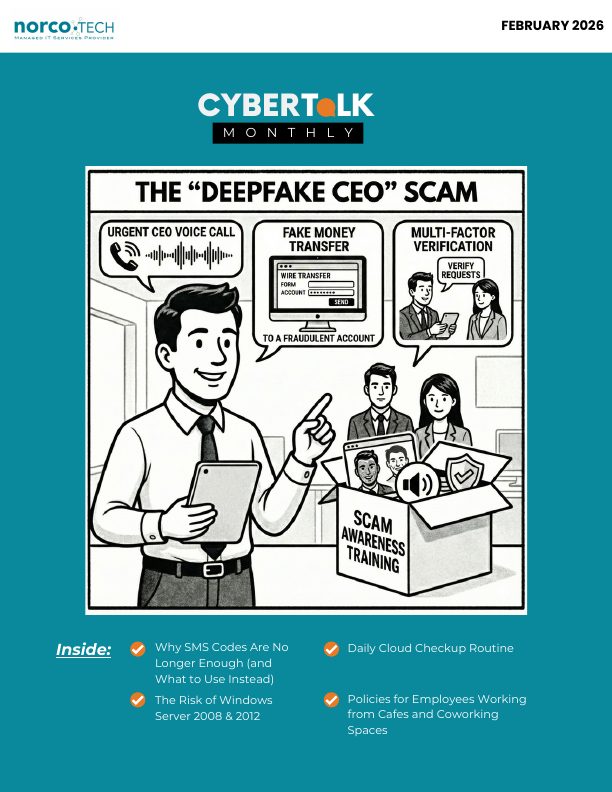
A monthly update from Norcotech
There's a new, sophisticated evolution in cybercrime targeting businesses like yours: the deepfake CEO scam.
For years, scammers relied on deceptive emails to trick employees into transferring funds. Today, criminals use AI to clone an executive's voice with terrifying accuracy, using short clips from webinars, social media or voicemail greetings.
The scam typically works like this: someone in finance or HR gets an urgent call or voicemail that sounds exactly like the CEO or CFO, who claims to be in a meeting or traveling and demands an immediate, confidential wire transfer. Because the voice sounds authentic and the request is urgent, well-meaning employees often bypass standard checks.
The most effective defense is a "verify first" policy. Legitimate executives won't mind if you hang up and call them back on a known number. We also recommend a verbal "safe word" for authorizing sensitive transactions.
If you need help updating your verification protocols or training your staff, contact us at contact@norcotech.com.
Until then, stay safe.
The Norcotech Team
The "deepfake CEO" scam: why voice cloning is the next cyber threat

The phone rings, and it's your boss. The voice is unmistakable. They're asking for an urgent wire transfer to lock in a new vendor contract, or for confidential client information. Everything feels normal, so you begin to act. But what if it isn't really your boss?
How AI voice cloning is changing the threat landscape
Years of training taught us to spot misspellings in suspicious emails, but we naturally trust familiar voices. Attackers can now replicate a person's voice from just a few seconds of audio.
The evolution of business email compromise
Business email compromise used to rely on phishing and spoofed email accounts. As email filters improve, "vishing" (voice phishing) with cloned voices targets people directly, creating high-pressure situations where the victim feels they must act fast.
Spotting an audio deepfake
Few tools can detect audio deepfakes in real time, and human ears are unreliable. Listen for a slightly robotic tone, digital artifacts on complex words, unnatural breathing, odd background noise or a missing personal cue, like how that person usually greets you.
Securing your organization
Real-time video deepfakes are likely next. Put verification protocols in place now, because waiting until an incident occurs is too late.
Does your organization have the right protocols to stop a deepfake attack? Contact us to assess your vulnerabilities.
Check your defenses with a cybersecurity audit →The MFA level-up: why SMS codes are no longer enough (and what to use instead)
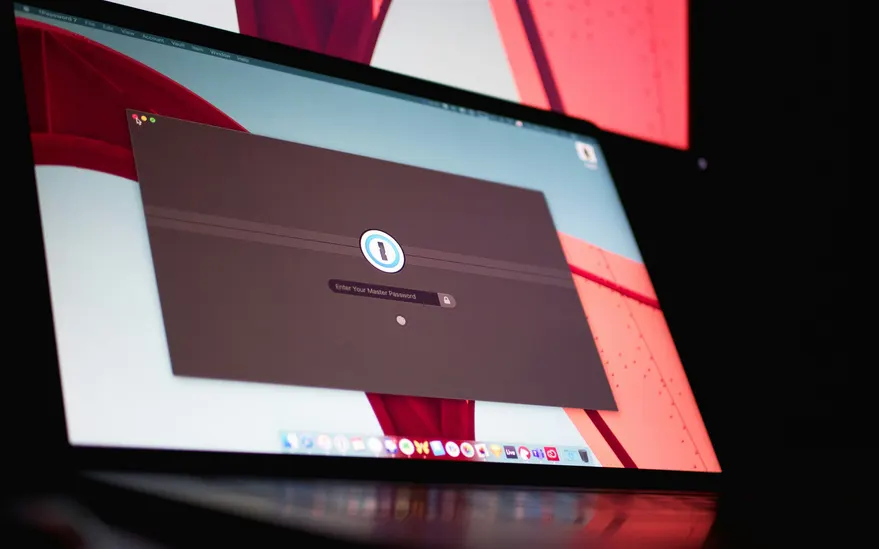
Multi-factor authentication remains essential, but the most common form, codes sent by text message, is outdated, and criminals have reliable ways around it. For organizations handling sensitive data, SMS-based MFA is no longer sufficient.
Why phishing-resistant MFA is the new gold standard
Phishing-resistant MFA uses cryptographic protocols that tie each sign-in to a specific website. With the FIDO2 standard, even if a user clicks a phishing link, their authenticator won't release credentials because the domain doesn't match.
Hardware security keys
A physical key you plug in or tap performs a cryptographic handshake with the service. There are no codes to type, and attackers can't steal the key over the internet.
Mobile authenticator apps
If physical keys aren't practical, apps like Microsoft or Google Authenticator are a step up from SMS. Codes are generated on the device, eliminating SIM-swapping and text interception.
Passkeys: the future of authentication
Passkeys are digital credentials stored on your device and protected by biometrics. They're phishing-resistant, sync across your ecosystem (such as iCloud Keychain or Google Password Manager) and offer the security of a hardware key with the convenience of the phone you already carry.
Running on borrowed time: the risk of Windows Server 2008 and 2012

Windows Server 2008 and 2012 have reached end of support. For any business still running them, replacing them is no longer optional. It's critical.
The security implications
Once support ends, security updates stop completely. Attackers actively target unsupported systems because they know the weaknesses will stay unpatched. Compliance gets harder, cyber insurance coverage may be affected, and outdated infrastructure can lead to failed audits.
The cost of doing nothing
Criminals use automated tools that constantly scan for outdated systems. Microsoft's Extended Security Updates program is expensive and designed as a short-term bridge, not a long-term plan, and it can't fix aging hardware or compatibility issues. Every month on a legacy platform increases exposure and technical debt.
Still running Windows Server 2008 or 2012? We handle seamless server modernization and cloud migrations with minimal downtime. Contact us today.
Plan your migration with us →A simple 15-minute daily cloud checkup routine
- Review access logs. Look for logins from unusual locations or at strange times.
- Check storage permissions. Make sure your private data stays private.
- Monitor for resource spikes. Compare each day's computing usage for anything unexpected.
- Examine security alerts. They often contain critical information about vulnerabilities.
- Verify backup integrity. Check the status of your overnight backup jobs.
- Keep software patched. Make sure automated patching schedules are running correctly.
Policies for employees working from cafes and coworking spaces

- Mandate VPN use to encrypt all data over public Wi-Fi.
- Prevent visual hacking by issuing privacy screens.
- Maintain physical security: employees keep laptops and devices with them at all times.
- Avoid confidential conversations in public.
- Create a clear, written policy and review it regularly.
Don't play security roulette
When was the last time your company completed security testing or awareness training? Data breaches are a part of life now, and skipping vulnerability assessments is like playing Russian roulette with your data. A Norcotech cybersecurity package protects your business without the time and expense of managing it all yourself.
Learn more about security assessments: email contact@norcotech.com or call (301) 519-0557.
Technology trivia and fun
- Which wireless technology is named after a Viking king?
- What search engine was originally called "Backrub"?
- How often should a password be changed?
The first person to email cybertalk@norcotech.com with the correct answers won a $10 Amazon gift card. January answers: 1. Function 2. Linux 3. Breakout Rooms.
Did you know? The Netherlands has the lowest cybercrime rate, while Russia has the highest.
Refer a business
Know a business that could benefit from better IT support? Forward an introduction email to contact@norcotech.com and we will take it from there. We'll treat your referral with the same care we give every Norcotech client.
Get Cybertalk every month
Practical security tips for business owners and employees.