A monthly update from Norcotech
As we bring in the new year, we want to highlight that public AI tools like ChatGPT and Gemini are fantastic for boosting efficiency, helping with quick drafts and summaries. However, they pose serious risks to your business data.
Why? Because most public AI models use the data you provide to train and improve their systems. A single slip-up can expose a client's personally identifiable information (PII), proprietary code or internal strategies.
Protecting your sensitive information is crucial. We recommend a few essential strategies to build a strong foundation for secure AI adoption:
- Establish a clear policy: define exactly what confidential data (like financial records or product roadmaps) must never be entered into public AI tools.
- Upgrade to business accounts: mandate business-tier accounts (like Microsoft Copilot or ChatGPT Enterprise), which provide data privacy guarantees that your inputs won't be used for model training.
- Implement DLP solutions: use Data Loss Prevention tools, like Cloudflare DLP, to automatically scan and block sensitive data from being uploaded to AI platforms.
Integrating AI is essential for staying competitive, and doing it safely should be your top priority. Ready to formalize your approach? Contact us at contact@norcotech.com to secure your AI journey.
Until then, stay safe.
The Norcotech Team
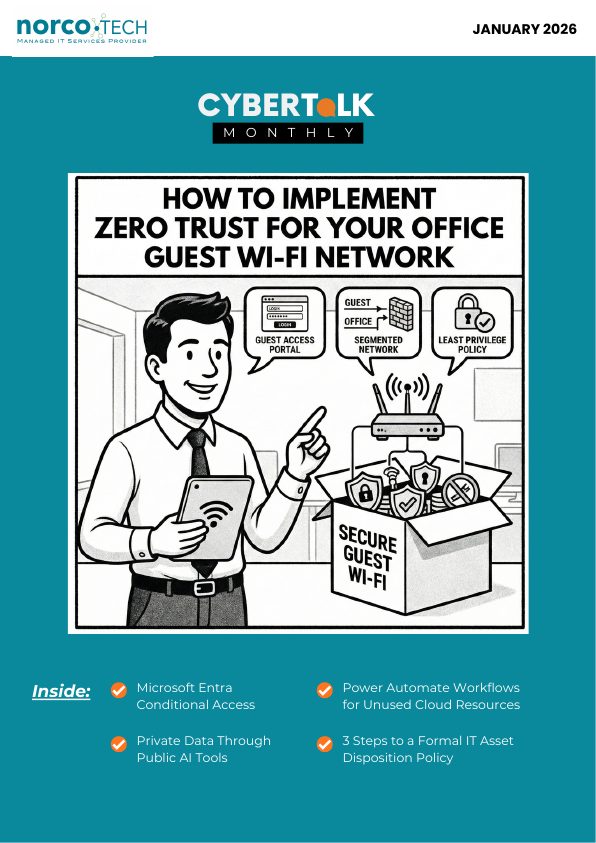
How to implement Zero Trust for your office guest Wi-Fi network

Guest Wi-Fi is a convenience your visitors expect and a hallmark of good customer service. But it's also one of the riskiest points in your network. A shared password that's been passed around for years offers virtually no protection, and a single compromised guest device can become a gateway for attacks on your entire business.
The core principle of Zero Trust is simple but powerful: never trust, always verify. No device or user gains automatic trust just because they're on your guest network.
Build a totally isolated guest network
Your guest network should never mix with your business traffic. Set up a dedicated Virtual Local Area Network (VLAN) for guests on its own IP range, entirely isolated from your corporate systems. Then configure your firewall with explicit rules that block all traffic from the guest VLAN to your corporate VLAN, so an infected guest device can't pivot to your servers, file shares or sensitive data.
Implement a professional captive portal
Get rid of the static password. A fixed code is easily shared, impossible to track and a hassle to revoke. Instead, use a branded captive portal, like the splash page you see on hotel Wi-Fi. A receptionist could generate a login code that expires in 8 or 24 hours, visitors could register with their name and email, or you could use a one-time code sent by SMS.
Enforce policies with Network Access Control
A Network Access Control (NAC) solution acts like a bouncer, checking every device before it joins. If a guest device fails posture checks, NAC can redirect it to a page with patch downloads or simply block access.
Apply strict time and bandwidth limits
Use your NAC or firewall to enforce session timeouts, requiring users to re-authenticate after a set period such as every 12 hours, and throttle guest bandwidth to prevent congestion.
Zero Trust guest Wi-Fi is no longer reserved for large enterprises. It's for businesses of every size. Want to secure your guest Wi-Fi without the complexity? Contact us.
Talk to our network team →How to use Microsoft Entra Conditional Access to grant and revoke contractor access
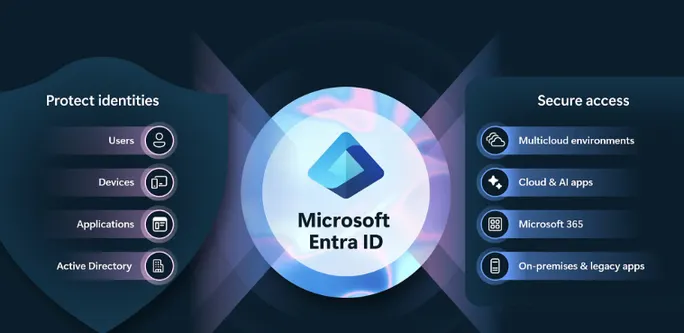
Managing contractor logins can be a real headache. You need to grant access quickly so work can begin, but that often means shared passwords or accounts that never get deleted. Here's how to use Entra Conditional Access to build a self-cleaning system for contractor access in roughly an hour.
Set up a security group for contractors
In the Microsoft Entra admin center, create a security group with a clear name like "External-Contractors." Add each contractor when they start and remove them when the project ends.
Build a set-and-forget expiration policy
Create a Conditional Access policy assigned to that group. Under "Grant," require multi-factor authentication. Under "Session," set sign-in frequency to 90 days, or whatever matches your contracts. Once a contractor is removed from the group, they can no longer re-authenticate.
Lock access down to just the tools they need
Create a second policy for the group. Under "Cloud apps," select only the applications or SharePoint site they may use, and block everything else. That's least privilege in practice.
Add strong authentication
Require a compliant device, or use the "OR" option to allow access when the user signs in with a phishing-resistant method.
With a little upfront setup, contractor access becomes highly secure and effortlessly automatic.
Get help with Microsoft 365 security →How to prevent leaking private data through public AI tools
Most public AI tools use the data you provide to train and improve their models. That means every prompt entered into a public chatbot could become training data, and a single mistake could expose client information, proprietary code or processes.
Establish a clear AI security policy
Define what counts as confidential information and which data must never be entered into a public AI model, such as Social Security numbers, financial records or product roadmaps.
Use data loss prevention with AI prompt protection
DLP tools such as Cloudflare DLP and Microsoft Purview scan prompts and file uploads in real time, before they ever reach the AI platform.
Train employees continuously
Run interactive workshops where employees practice writing safe, effective prompts based on their real daily tasks, so they learn to de-identify sensitive data while still using AI.
AI is now essential for staying competitive, which makes using it safely a top priority.
See our AI integration service →Power Automate workflows for unused cloud resources

Prevent unmanaged growth of cloud resources with three simple automations:
- Shut down development VMs automatically. A daily flow finds Azure virtual machines with a specific tag, checks their usage and powers off idle ones.
- Report orphaned storage disks. A weekly flow lists unattached managed disks in your subscription and sends a report.
- Delete expired temporary resources. Tag temporary resources with an expiry date, and a flow deletes them on that date.
3 steps to a formal IT asset disposition policy

You can't protect what you don't plan for. An IT Asset Disposition (ITAD) policy is the secure, ethical and fully documented way to retire your IT hardware. It doesn't need pages of jargon, but it should cover at least:
- The process for retiring company-owned IT assets.
- Who does what: who initiates, approves and handles each device.
- Standards for data destruction and final reporting.
A clear policy keeps every disposal consistent and accountable through a defined chain of custody, protecting your business all the way to the end of the technology lifecycle.
Don't play security roulette
When was the last time your company completed security testing or awareness training? Data breaches are a part of life now, and skipping vulnerability assessments is like playing Russian roulette with your data. A Norcotech cybersecurity package protects your business without the time and expense of managing it all yourself.
Learn more about security assessments: email contact@norcotech.com or call (301) 519-0557.
Technology trivia and fun
- What word is abbreviated as Fn on a keyboard?
- Which operating system, launched in 1991, has Tux the penguin as its mascot?
- What is the two-word name for the Zoom feature allowing smaller groups to meet separately?
The first person to email cybertalk@norcotech.com with the correct answers won a $10 Amazon gift card. December answers: 1. Nvidia 2. DHCP Server 3. DBMS.
Did you know? In 2019, the Android smartphone operating system accounted for 87% of the global market share, compared to Apple iOS, which held 13%.
Refer a business
Know a business that could benefit from better IT support? Forward an introduction email to contact@norcotech.com and we will take it from there. We'll treat your referral with the same care we give every Norcotech client.
Get Cybertalk every month
Practical security tips for business owners and employees.