A monthly update from Norcotech
The holiday season brings millions of shoppers online, and with them sophisticated scammers using fake shopping sites and phishing emails to steal personal data and card information.
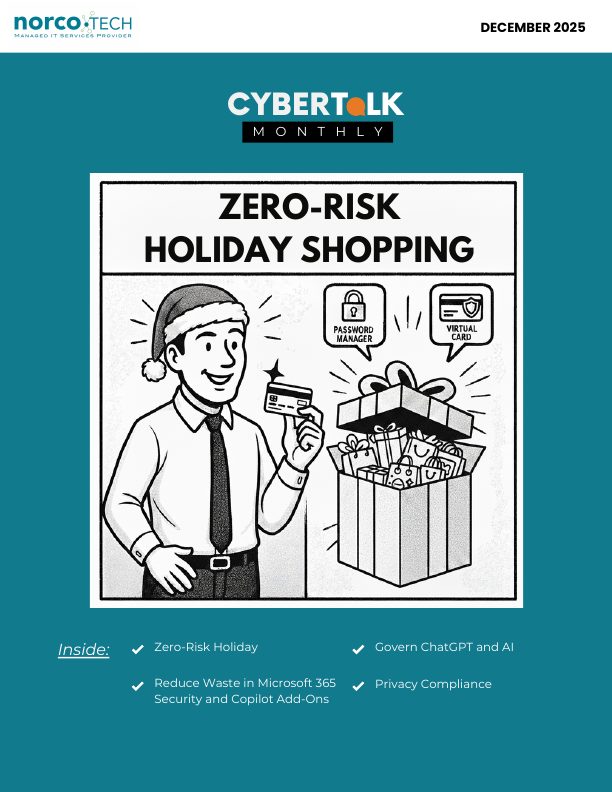
Two simple tools can transform your online security: password managers, which create and store unique passwords for every account, and virtual cards, which keep your real card number hidden from merchants. Generate a different virtual card for each store, so a breach at one retailer doesn't touch your main account.
Remind employees to avoid public Wi-Fi for shopping and never to save card details in a browser. To schedule a security review before the holiday rush, contact us at contact@norcotech.com.
Until then, stay safe.
The Norcotech Team
How to use a password manager and virtual cards for zero-risk holiday shopping
The FTC warns that scammers create fake shopping sites and phishing emails, especially during the holidays. CISA recommends password managers to reduce password reuse.
Tips
- Choose a reputable password manager and create a strong master password.
- Turn on two-factor authentication.
- Generate a virtual card for each store, and track expiration dates and spending limits.
- Shop only on secure, familiar websites.
Mistakes to avoid
Reusing passwords, shopping on public Wi-Fi, ignoring security alerts and saving card details in your browser.
How to reduce waste in Microsoft 365 security and Copilot add-ons
Many companies pay for licenses and features they don't use.
- Downgrade light users: someone who only emails and uses Teams may not need E3 or E5.
- Automate offboarding so licenses are removed when employees leave.
- Consolidate overlapping features, including Copilot add-ons that duplicate other AI tools.
- Review shared mailboxes that don't need paid licenses.
- Set expiration alerts and governance policies to avoid auto-renewing unused licenses.
5 essential rules to govern ChatGPT and AI
- Set clear boundaries before you begin.
- Always keep humans in the loop.
- Ensure transparency and keep logs.
- Understand how intellectual property and data protection work.
- Make governance a continuous practice.
Privacy compliance checklist
Be clear about what data you collect, keep consent active, recorded and reversible, comply with GDPR, CCPA/CPRA and other laws, disclose third parties, name a privacy contact, explain users' rights, date your privacy policy, disclose cookies and tracking, and reveal the AI and automation platforms you use.
What to review before integrating a third-party API
Check for recognized certifications, strong encryption, modern authentication (such as token-based methods), proper logging, rate limiting, contractual audit rights, where data is stored and processed, downtime and recovery plans, and the vendor's upstream dependencies.
Don't play security roulette
When was the last time your company completed security testing or awareness training? Data breaches are a part of life now, and skipping vulnerability assessments is like playing Russian roulette with your data. A Norcotech cybersecurity package protects your business without the time and expense of managing it all yourself.
Learn more about security assessments: email contact@norcotech.com or call (301) 519-0557.
Technology trivia and fun
- What is currently the richest tech company in the world?
- What device assigns IP addresses to computers on a network?
- What technology is designed for processing database information?
The first person to email cybertalk@norcotech.com with the correct answers won a $10 Amazon gift card. November answers: 1. Monty Python 2. 2025 3. Capital One.
Did you know? GPS is funded by American taxpayers, and US law keeps it free for direct users.
Refer a business
Know a business that could benefit from better IT support? Forward an introduction email to contact@norcotech.com and we will take it from there. We'll treat your referral with the same care we give every Norcotech client.
Get Cybertalk every month
Practical security tips for business owners and employees.